Walmart Labs | Definitive Item Data Management

About My Role
At Walmart, I earned my blackbelt in slashing through complexity and wrangling complex back-end systems. I also mastered working with stakeholders to align and execute on a shared vision.
I worked within a nimble WalmartLabs start-up called Akodo. Our goal was to become the go-to source for accurate and up-to-the-minute item data. Walmart sells products across 6500 product types, with nearly countless categories within product types.
As is understood, with volume comes complexity. Walmart's item data management systems were no exception. The system was plagued with GDSN non-compliant item data, or item data that was just plain wrong.
I was one of two designers, eventually promoted to lead product designer, that worked on the Akodo platform. Our ambitious goals were realized through a tool that allowed for item data standards to be created, defined, and then consumed by Merchants and Suppliers.
I also worked directly with developers to ensure that our product vision was realized through frequent VQA (visual quality assurance) touch-points.
Job Title
Product Designer, Lead Product Designer
Tools Used
Miro, Figma, Balsamiq, Zeplin
Big Win(s)
Our reporting tools were utilized frequently by executive assistants to the Walmart Board Members.
Our tool caught incorrect item data within a produce category that saved Walmart $800,000/mo.
Phase 1: Item Data Attribute Creation
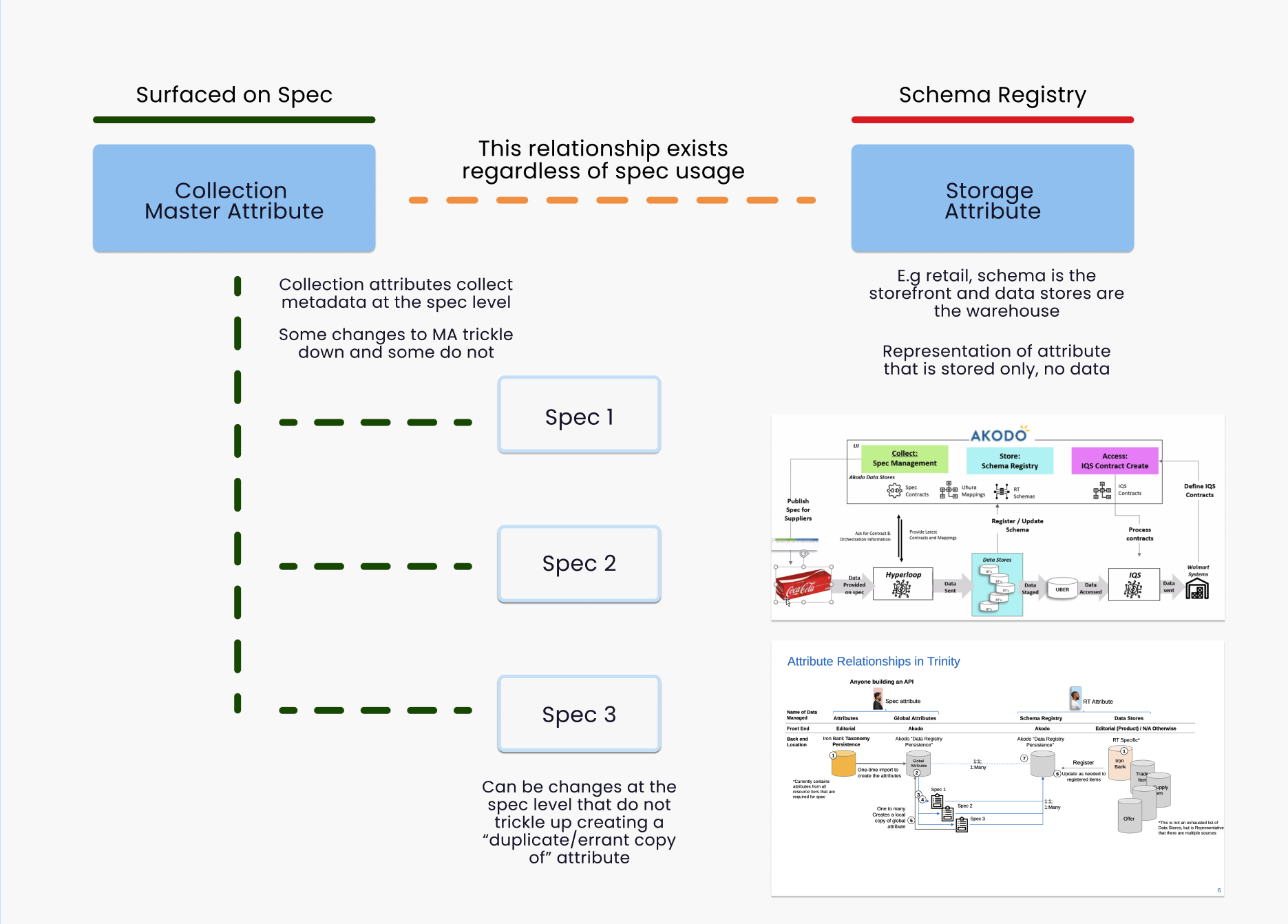
Each of Walmart's 6500 product categories contained multiple product types. Each product had assigned metadata called attributes. Don't let the jargon confuse you, item attributes are just different ways to describe an item. Some examples of attributes are color, weight, and dimension.
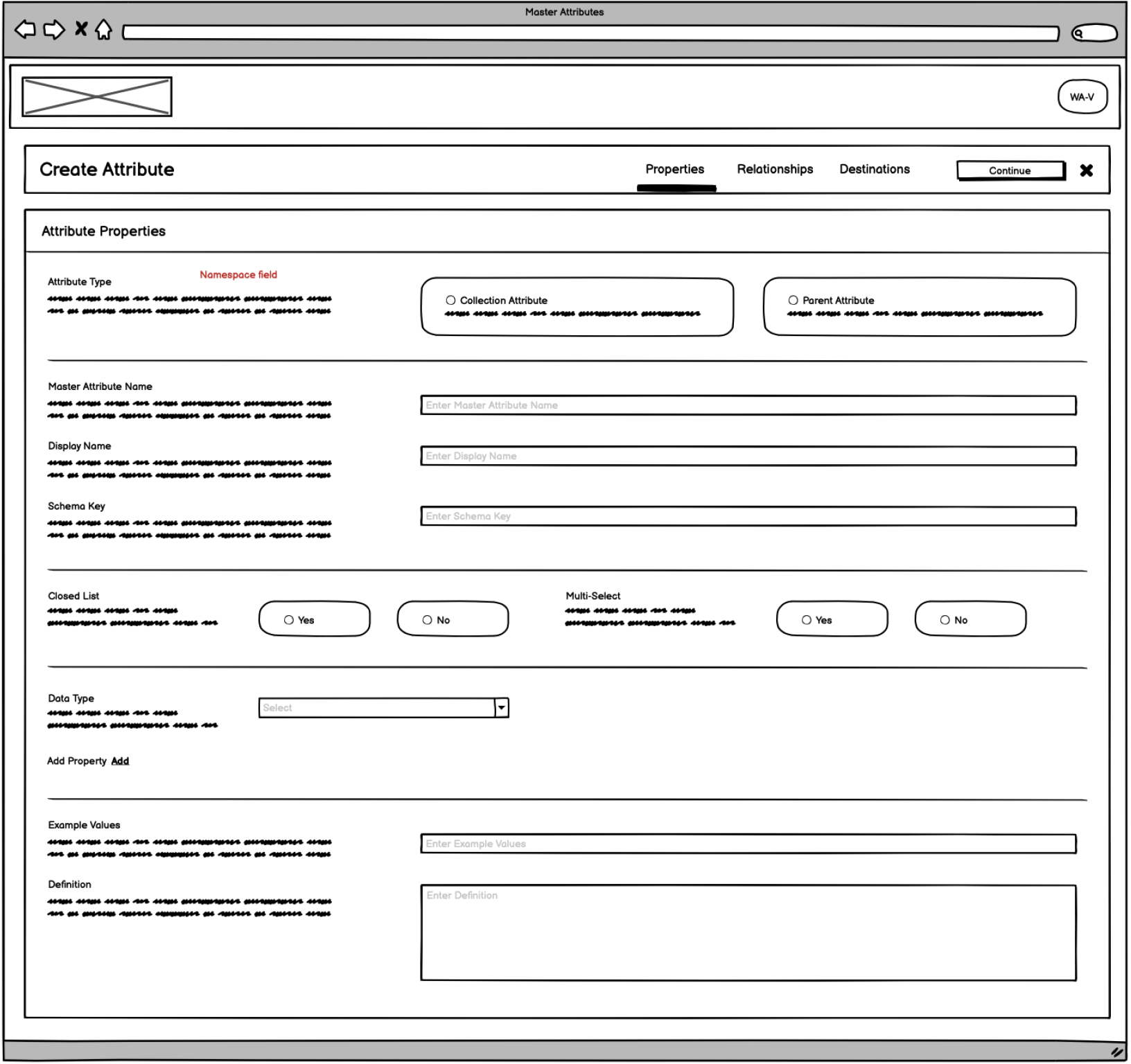
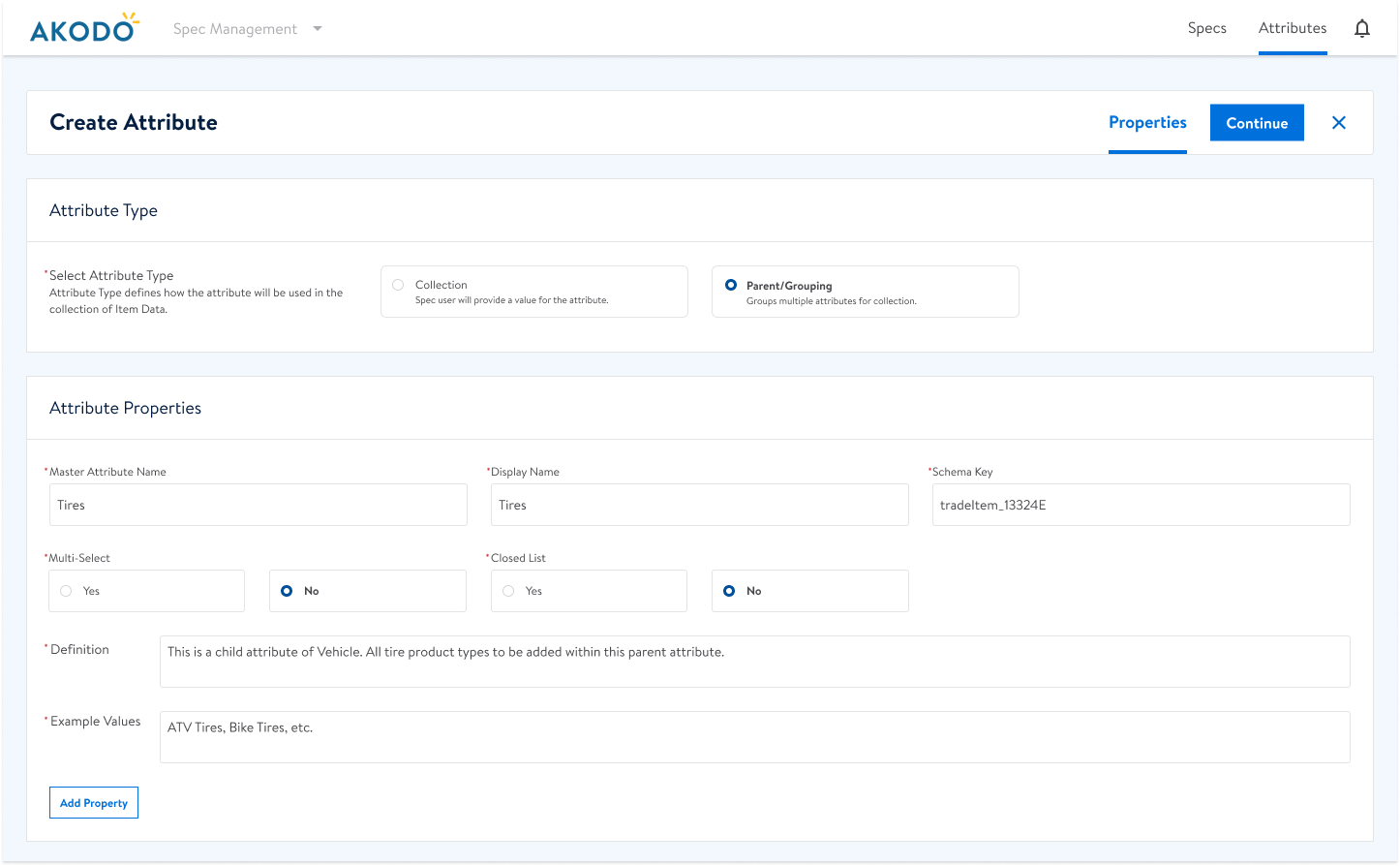
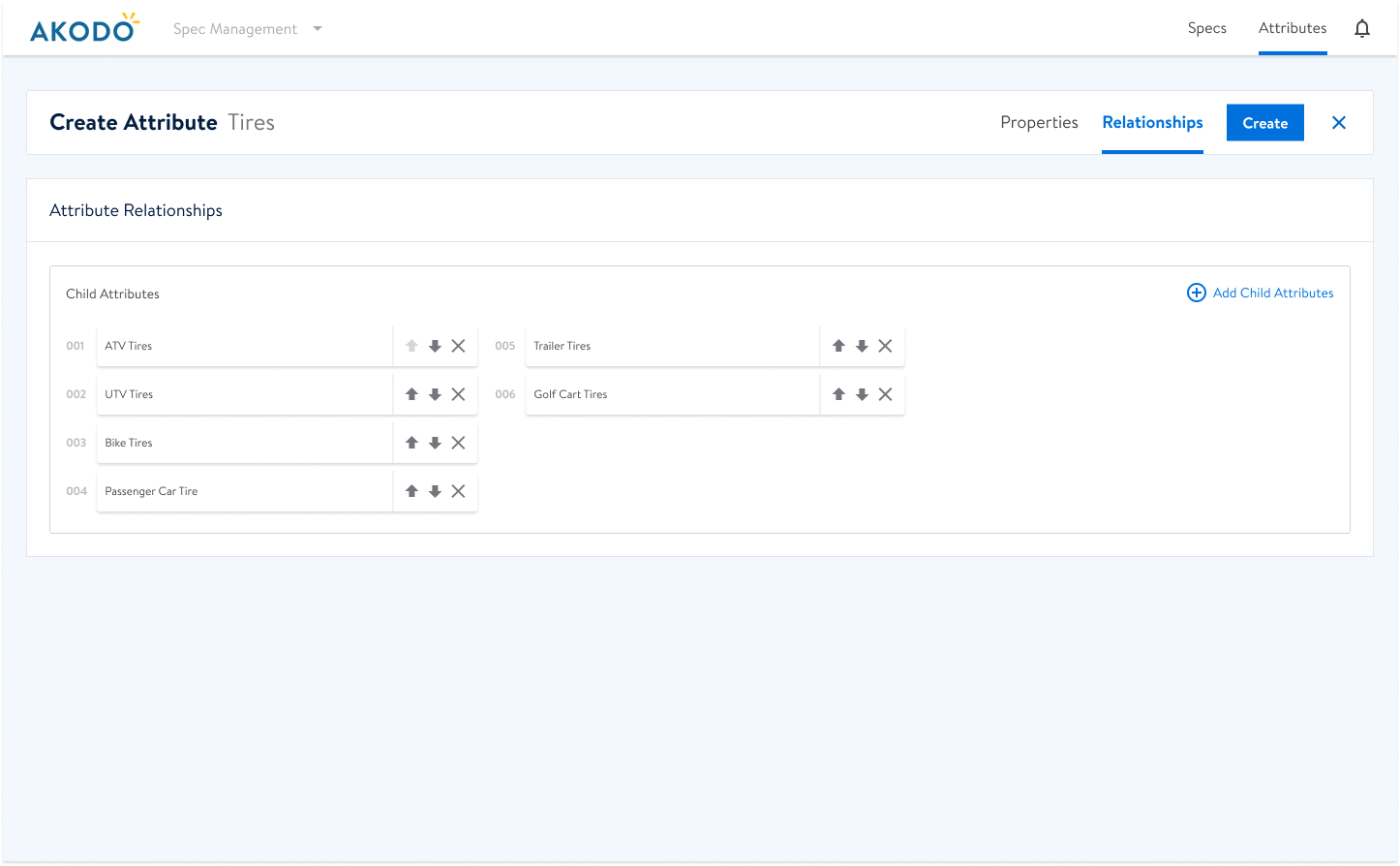
One of the most important functions of our tool, Akodo, allowed stakeholders to create attributes. These attributes came in two flavors. Collection attributes and parent attributes. Collection attributes defined how the item data was to be described (aka attributed) and defined how the data was to be collected. Parent (or Storage) attributes allowed Collection child attributes to be assigned and organized hierarchically to a container (Parent) attribute.
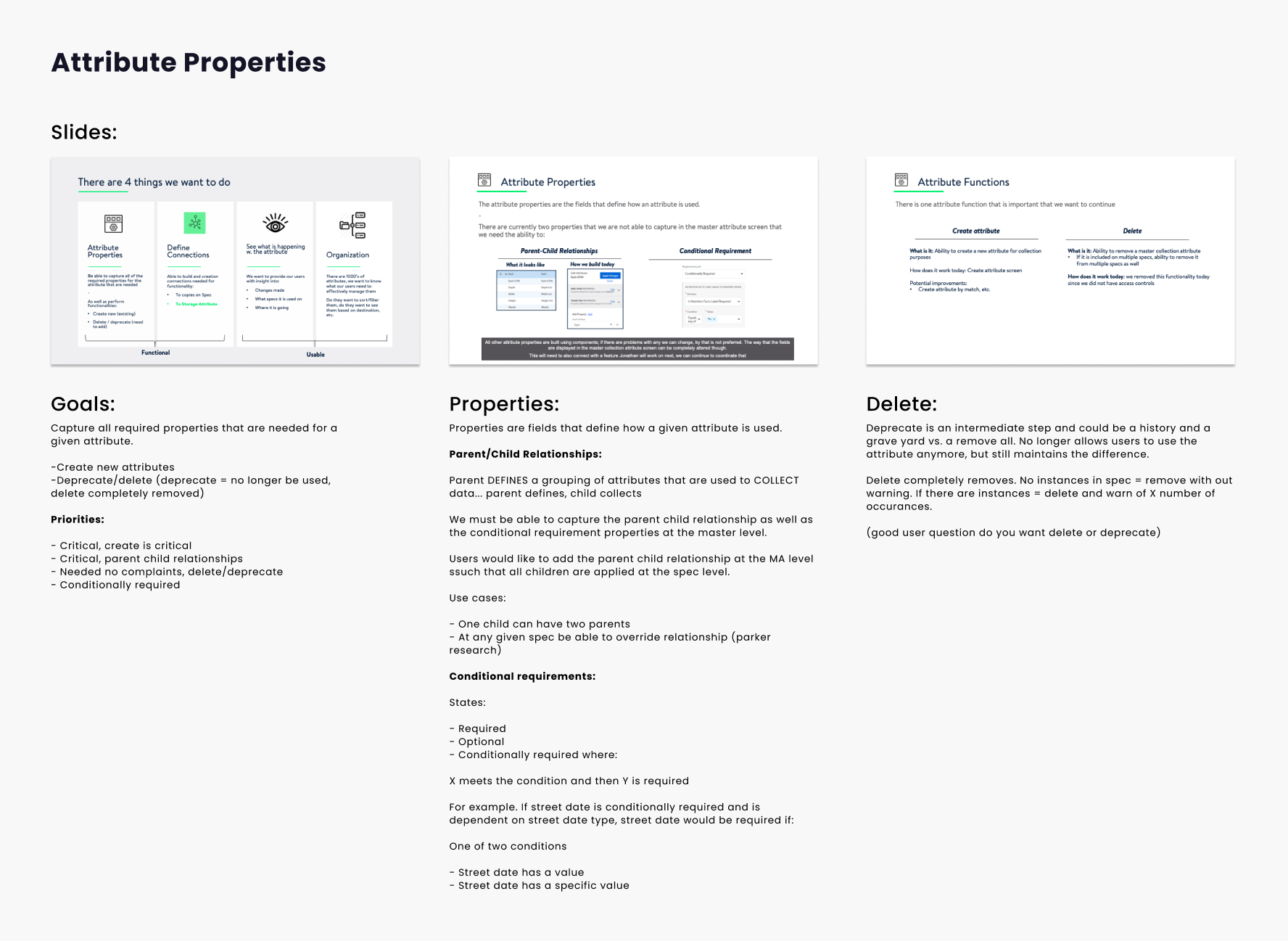
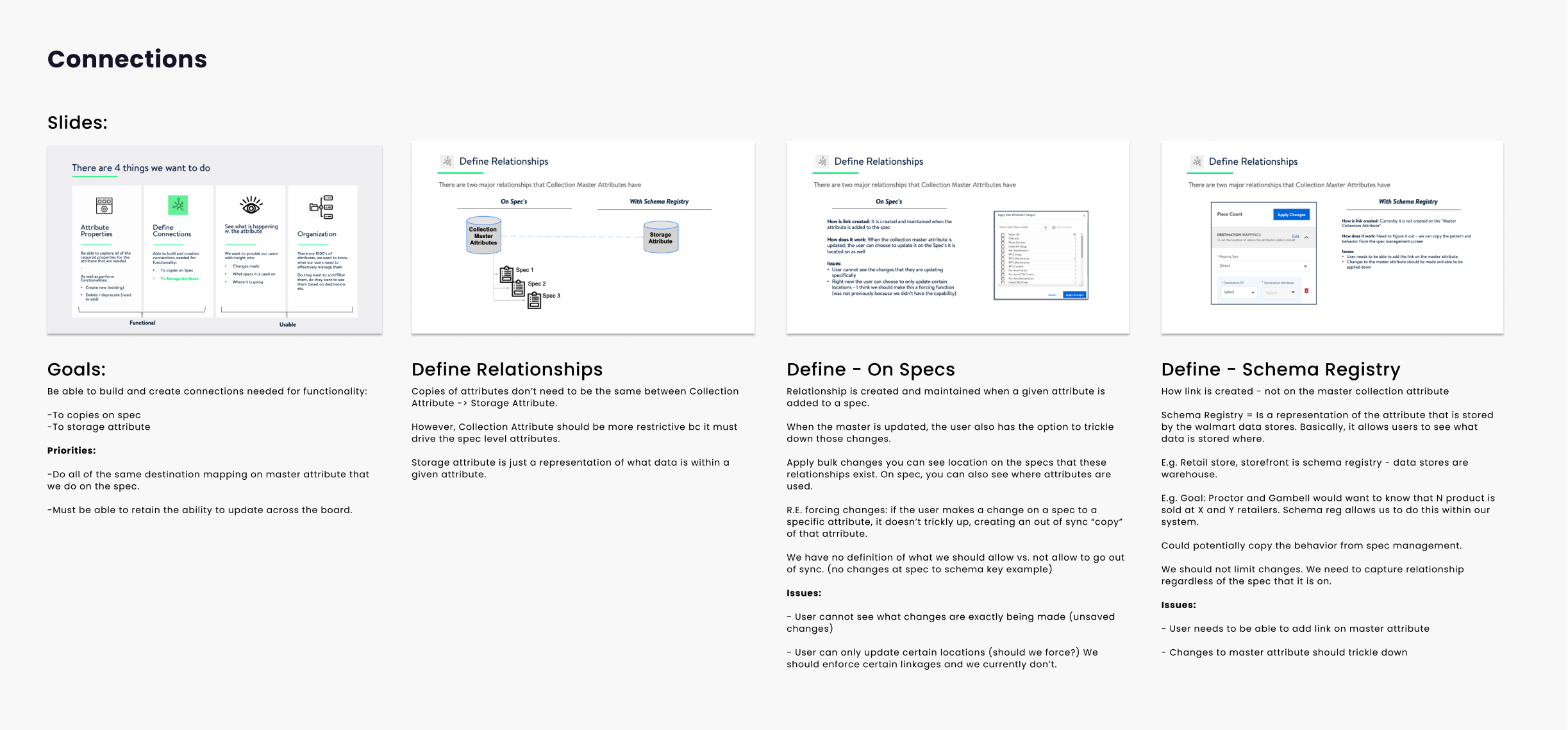
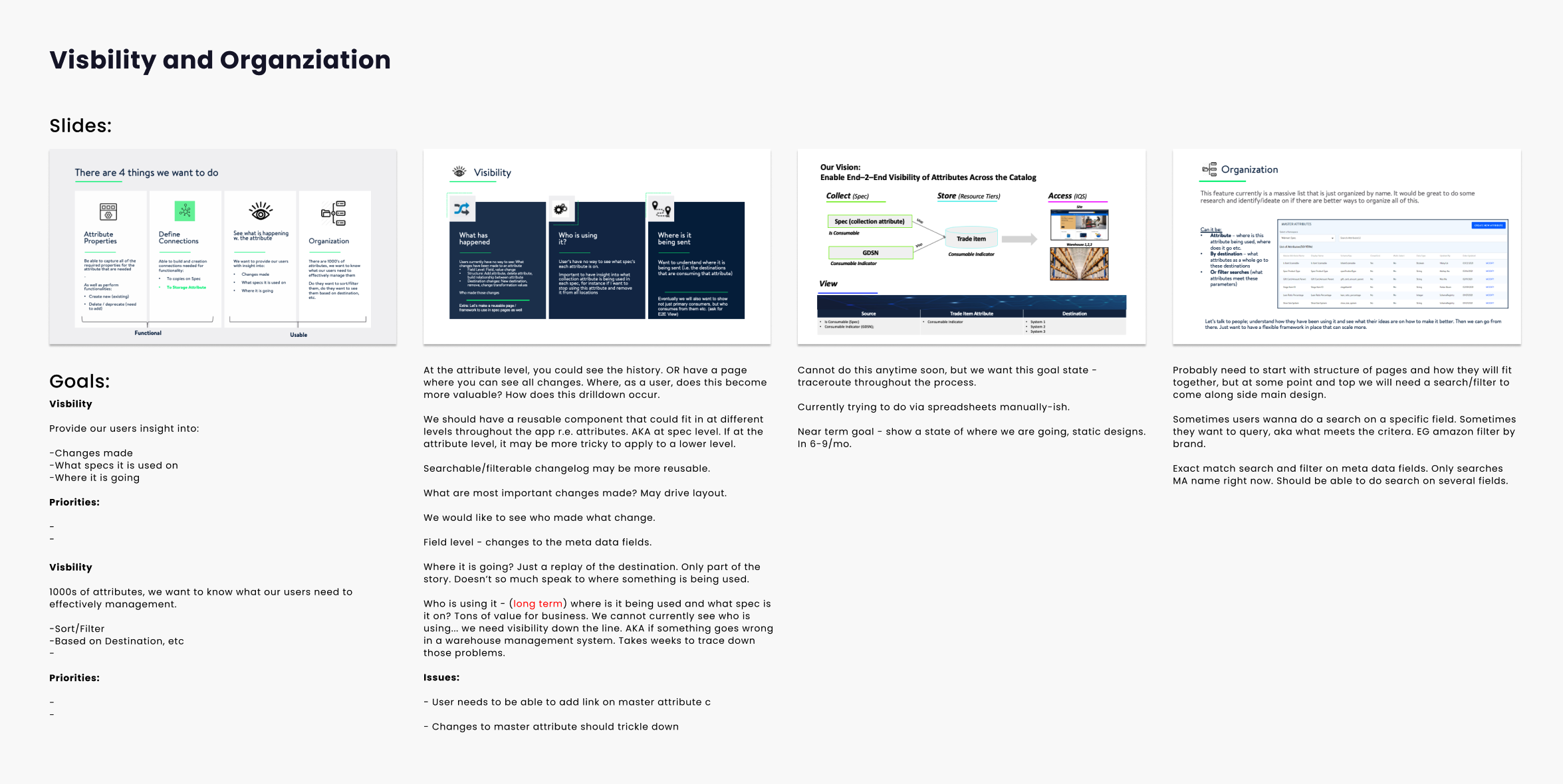
As with any major product feature, my work started with Discovery. I took great time and care understanding the need, interrogating the problem space, and documenting dependencies.
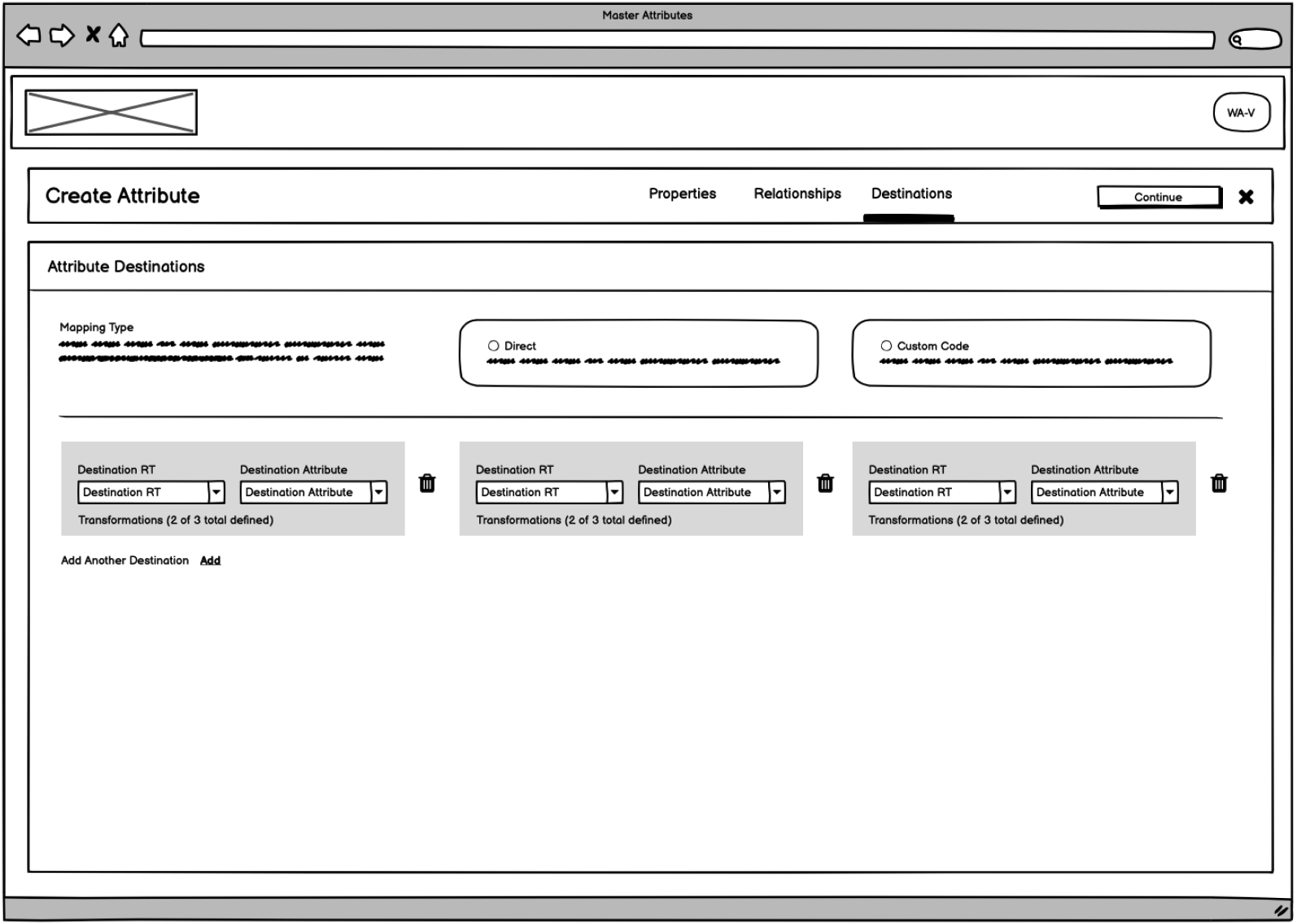
For example: a transformation can be as simple as converting Lb (pounds) to Lbs or Grey (color) to Gray. These transformations could be easily defined in the attribute creation process to match however these pieces of data surfaced in other systems.

Phase 2: The Magic Bullet for Complexity
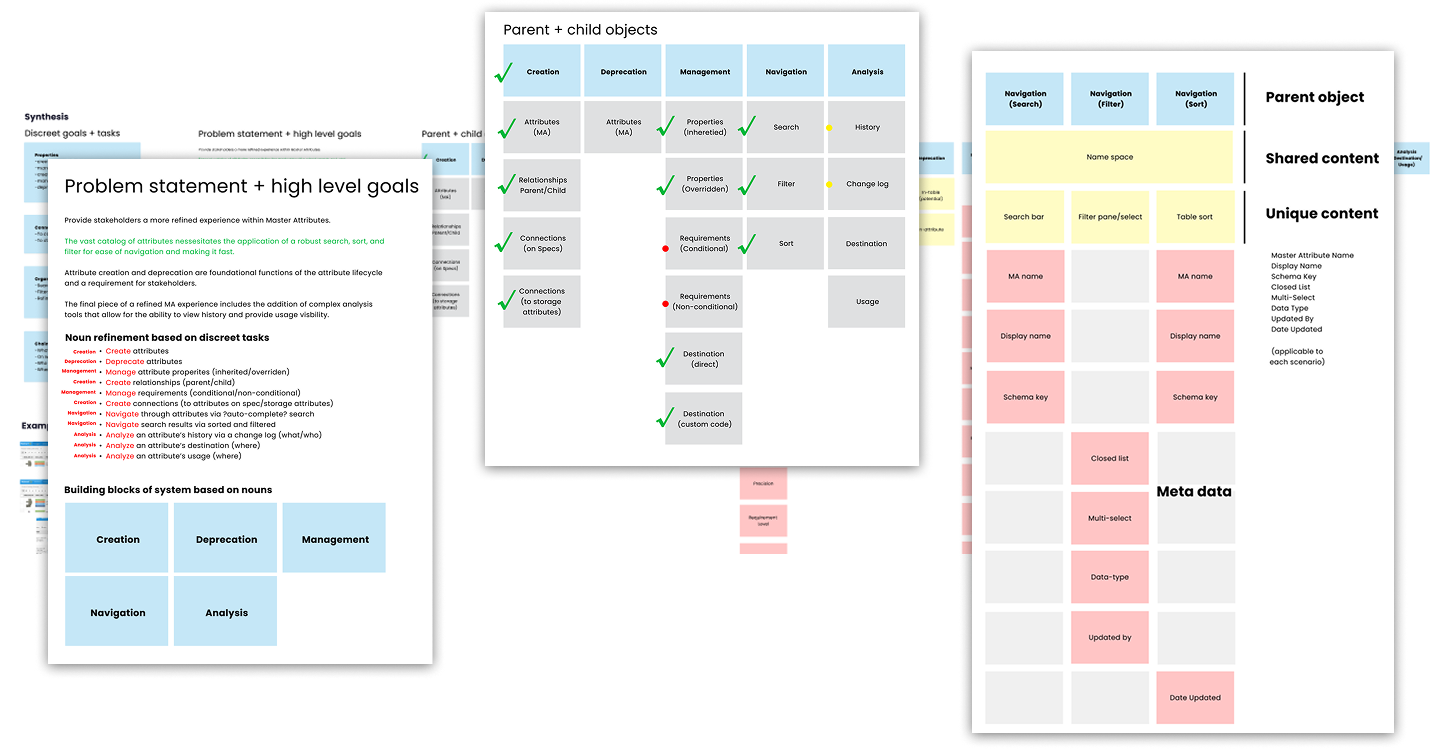
If you've never heard of Object Oriented User Experience, you might be in the majority. I realized how complex and unwieldy this feature would likely become. I'm always learning, so I went on the hunt for a method of making sense of many disparate parts.
I found Sophie Prater's approach called Object Oriented UX, an approach that focuses on identifying and designing around the core objects (nouns) in a system—like "products," "users," "orders," or "articles"—and their relationships, instead of just thinking in terms of screens or user flows. A quick summary of the process goes something like this:
Start with objects, not tasks: Identify the most important "things" users care about and interact with.
Define attributes and relationships: What details does each object have? How do they connect to other objects?
Map actions to objects: What can users do with each object (create, edit, view, delete)?
Structure content and navigation: Define relationships around these objects, creating more intuitive, scalable, and consistent interfaces.
Phase 3: Wireframes to Validate Concepts
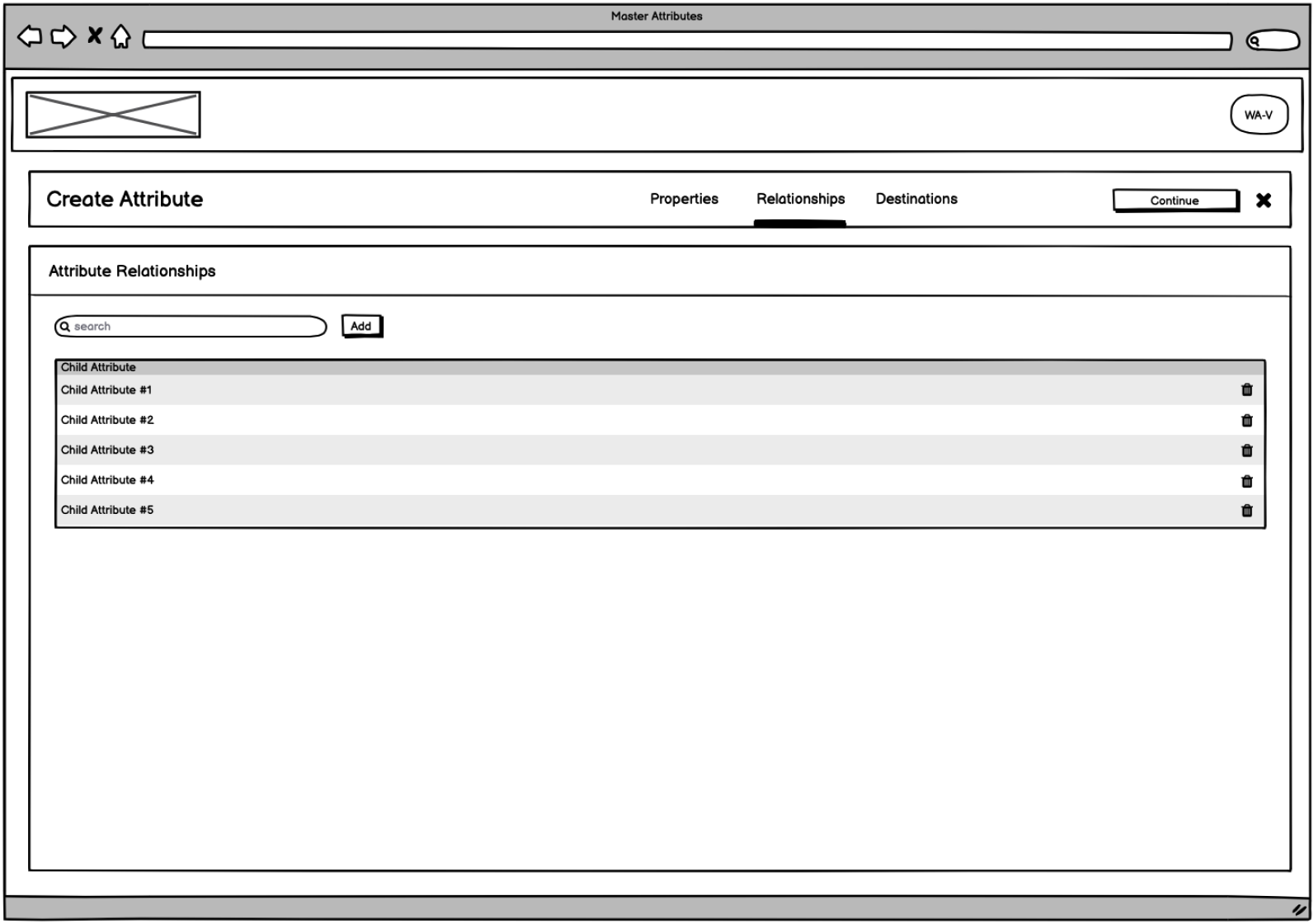
Wireframes are a very quick way to validate solutions and gain stakeholder feedback. Here are just a few wireframes used to validate creation and management of both Collection and Parent attributes.
Phase 5: The Final Product
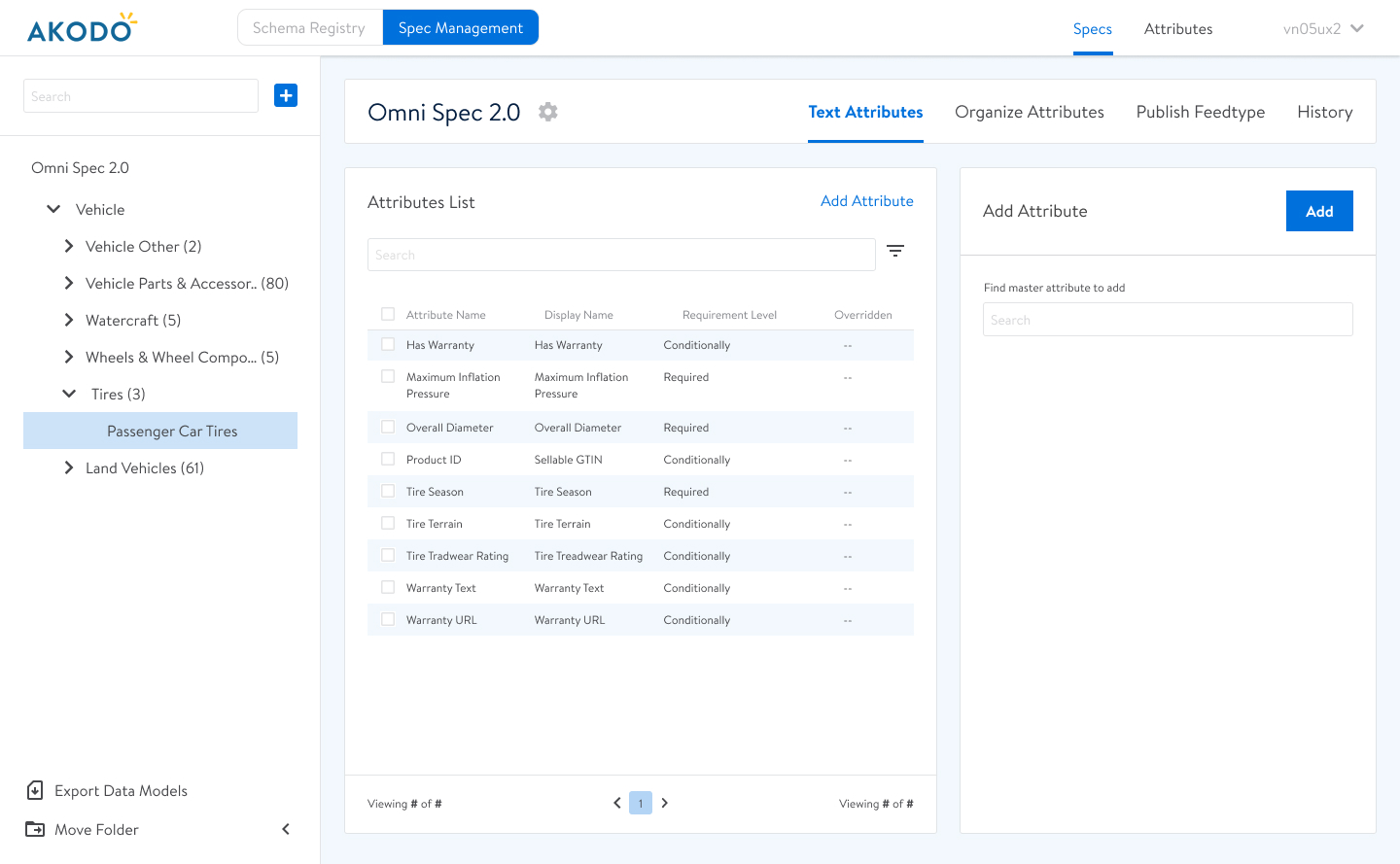
Explore the creation of a relationship attribute, below. This includes key data assignment in the first step, definition of relationships (child attributes) in the second step, and display within the Spec Builder in the third step.
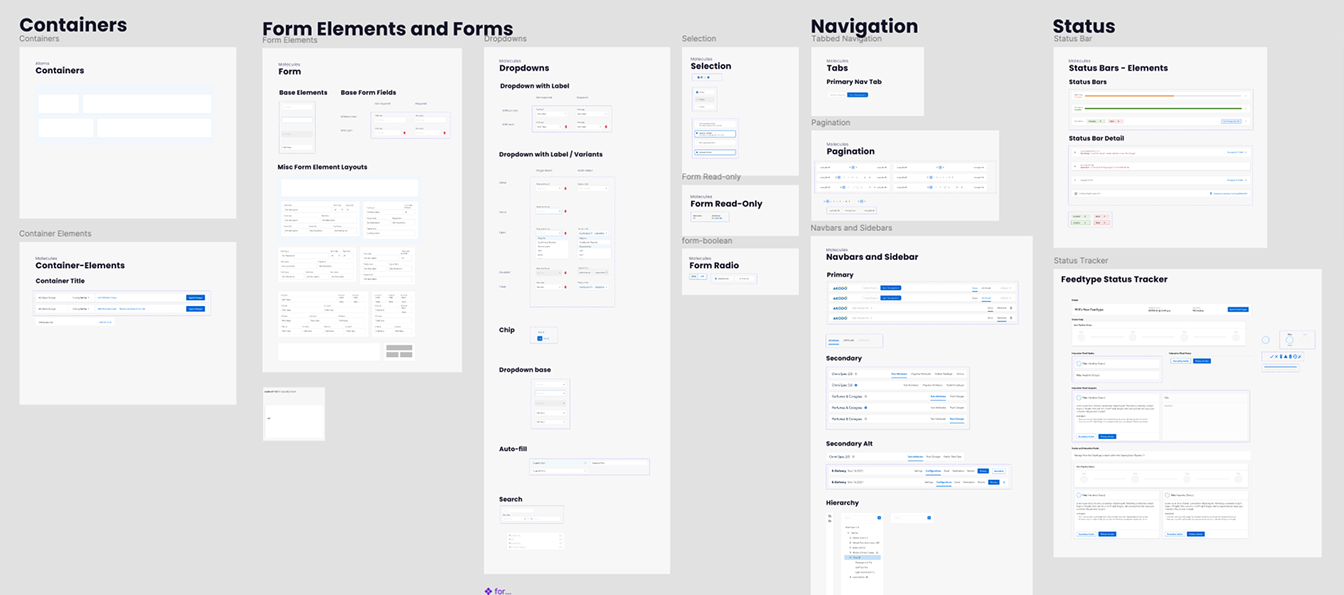
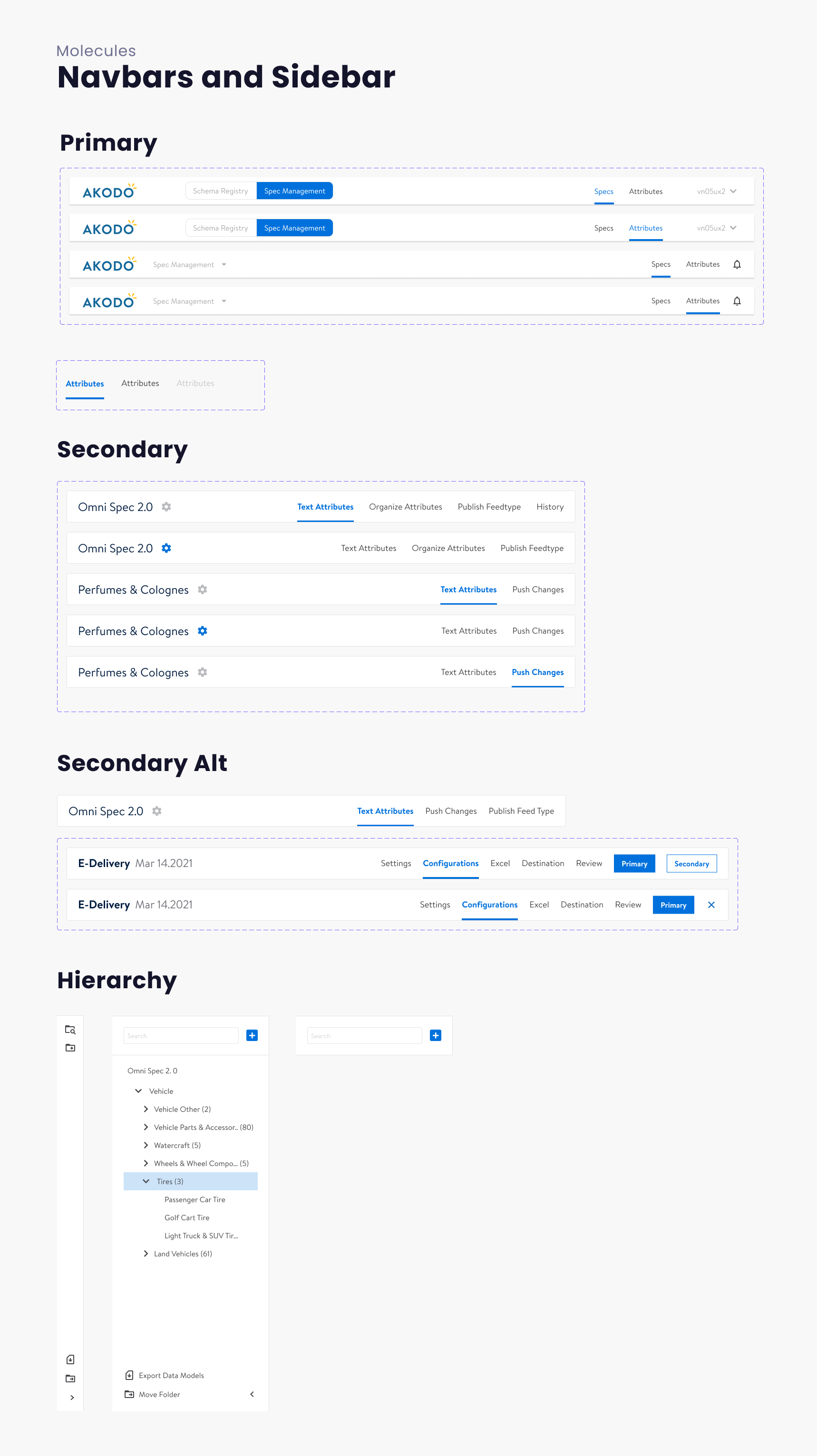
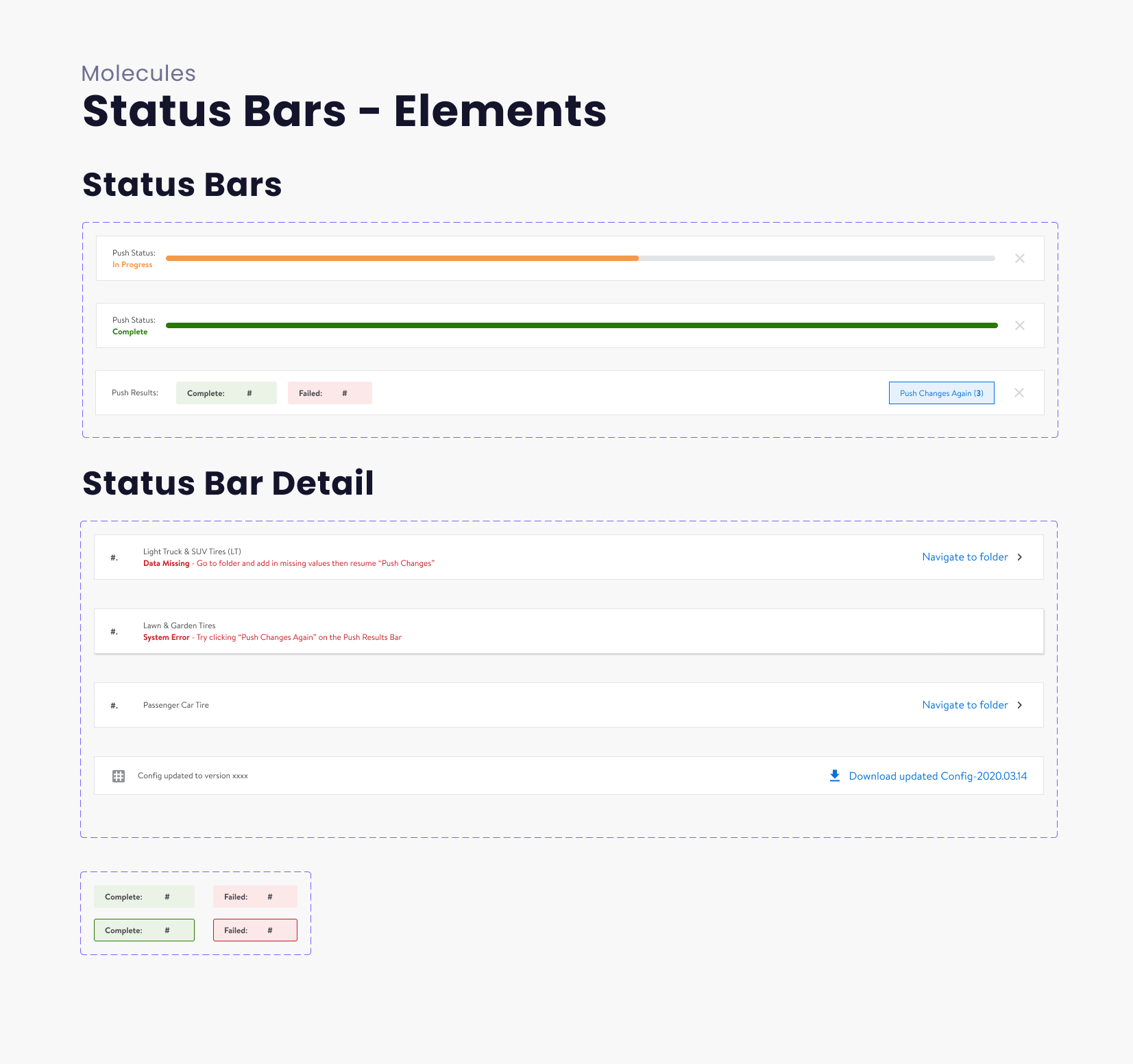
Akodo's Design System
For a number of reasons, it was decided that Walmart's Living Design System would not be the right fit for Akodo. So, we created our own design system. I was responsible for managing, organizing, and expanding it during my tenure.